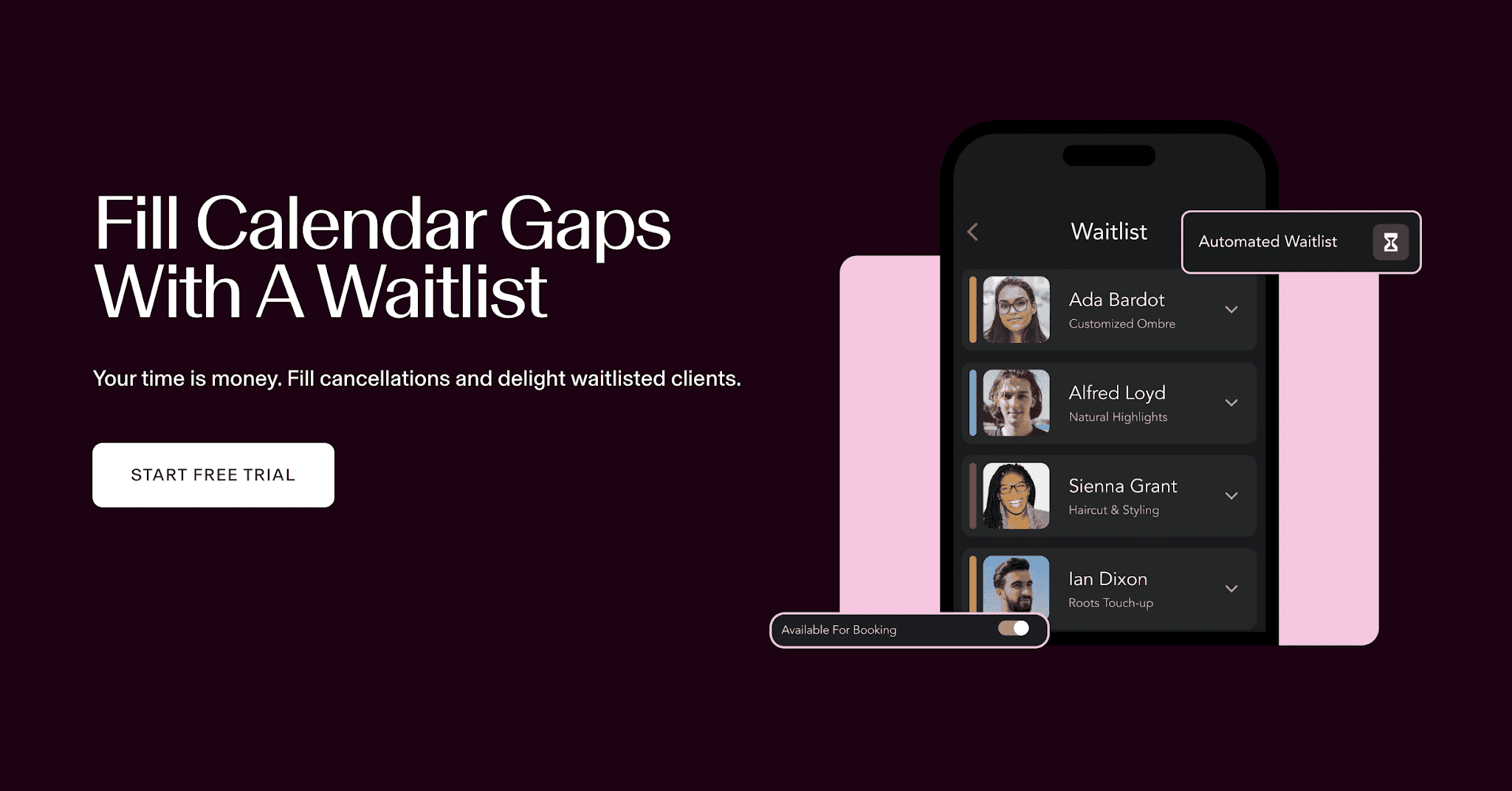
Every salon owner knows the sinking feeling: a client cancels two hours before their appointment, and that chair sits empty while your overhead keeps running. Salon waitlist management is the proven system that turns last-minute cancellations from lost revenue into recovered bookings — automatically, without your front desk making a single phone call.
In this guide, you'll learn exactly how to build and automate a salon waitlist that fills gaps in your schedule, protects your revenue, and keeps clients happy. Whether you're a solo stylist or managing a multi-chair studio, these strategies work at every scale.
What Is Salon Waitlist Management — and Why Does It Matter?
A salon waitlist is a list of clients who want an appointment at a time that's currently unavailable. When a cancellation or no-show creates an opening, the waitlist system notifies those clients so they can claim the slot before it goes to waste.
Without a waitlist system, a cancelled appointment is almost always lost revenue. With one, studies from salon software providers show that salons recover 60–80% of cancelled slots within the same business day when they use automated waitlist notifications.
The math is straightforward: if your average service ticket is $85 and you lose just three appointments per week to unrecovered cancellations, that's over $13,000 in lost revenue per year — from a problem that's largely solvable with the right system.
The Two Types of Salon Waitlists
Before building your system, it helps to understand the two main waitlist models:
1. The Passive Waitlist
Clients add themselves to a general list and wait to be contacted when something opens up. This is the traditional approach — often a paper list or a note in your booking software. It works, but it's slow and relies on staff to manually reach out, which means slots often go unfilled during busy periods.
2. The Active (Automated) Waitlist
When a cancellation occurs, the software automatically identifies eligible clients on the waitlist and sends them an instant SMS or push notification. The first client to respond claims the slot. No staff involvement required. This is the gold standard for modern salons and the approach we'll focus on throughout this guide.
If you're ready to move from passive to active waitlist management, GlowBook's scheduling features include built-in waitlist automation designed specifically for beauty businesses.
How to Build a High-Converting Salon Waitlist
A waitlist is only as good as the clients on it. Here's how to build one that actually fills your gaps:
Step 1: Make It Easy to Join
The best time to capture a waitlist signup is the moment a client can't find their preferred slot. Your online booking page should display a clear "Join Waitlist" button whenever a time is unavailable. Friction kills conversions — the signup should take under 30 seconds and require only a name, phone number, and service preference.
Also train your front desk to offer the waitlist proactively: "That time is taken, but I can add you to our waitlist — we'll text you the moment something opens up." Most clients say yes when it's framed as a convenience, not a consolation.
Step 2: Segment by Service and Stylist
A client waiting for a balayage with a specific colorist won't accept a haircut slot with a different stylist. Segmenting your waitlist by service type and staff member dramatically improves your fill rate because you're only notifying clients who are actually likely to book the available slot.
Good salon management software handles this automatically, matching open slots to waitlisted clients based on their original request. This is one of the key features to look for when evaluating booking platforms.
Step 3: Set a Response Window
Speed is everything with last-minute cancellations. If a slot opens at 2 PM and you need to fill it by 3 PM, you can't wait hours for clients to respond. Set a firm response window — typically 15 to 30 minutes — after which the system moves to the next client on the list.
Communicate this window clearly when clients join the waitlist: "If a slot opens up, we'll text you. You'll have 20 minutes to confirm before we offer it to the next person." This sets expectations and creates urgency that drives faster responses.
Step 4: Keep the List Fresh
A stale waitlist is worse than no waitlist. Clients who've already booked elsewhere, moved, or changed their minds will ignore your notifications — and repeated non-responses train your system to waste outreach on dead leads. Review your waitlist monthly and remove entries older than 60 days, or automate this with a re-confirmation message: "You're still on our waitlist for [service]. Reply YES to stay on or NO to be removed."
Automating Your Waitlist: What to Look For in Salon Software
Manual waitlist management is better than nothing, but automation is what makes the system truly scalable. When evaluating salon booking software for waitlist capabilities, look for these features:
Instant Cancellation Detection
The moment a client cancels — whether online, via app, or through your front desk — the system should immediately identify the open slot and trigger the waitlist workflow. Delays of even a few hours dramatically reduce fill rates for same-day slots.
Automated SMS Notifications
SMS outperforms email for time-sensitive waitlist alerts. Text messages are read within 3 minutes on average, compared to hours for email. Your software should send a personalized text that includes the date, time, service, and a one-tap booking link. The fewer steps between notification and confirmation, the better.
First-Come, First-Served Logic
The system should notify multiple eligible clients simultaneously and assign the slot to whoever responds first. This maximizes fill speed without requiring staff to manage back-and-forth communication. Once a slot is claimed, the system should automatically notify other waitlisted clients that the opening has been filled.
Calendar Integration
Waitlist bookings should flow directly into your appointment calendar with no manual entry. The new appointment should trigger the same confirmation and reminder sequence as any other booking, ensuring the client shows up prepared.
GlowBook's appointment management system integrates all of these capabilities in one platform, purpose-built for salons and spas. Start your free trial to see how automated waitlist management can recover revenue you're currently leaving on the table.
Strategies to Maximize Your Waitlist Fill Rate
Even with the right software, there are strategies that separate salons with 40% fill rates from those hitting 80%+:
Prioritize Your Best Clients
Not all waitlisted clients are equal. Consider giving priority notification to your VIP clients — those with high lifetime value, frequent visit history, or loyalty program membership. They're more likely to respond quickly and less likely to cancel again. Some salon software allows you to configure notification order based on client tags or spend history.
Use Off-Peak Incentives for Hard-to-Fill Slots
Tuesday at 10 AM is harder to fill than Saturday at noon. For slots that consistently go unfilled, consider pairing the waitlist notification with a small incentive: a complimentary deep conditioning treatment, a product sample, or a modest discount on an add-on service. This isn't about devaluing your services — it's about making the timing attractive enough to convert a flexible client.
Promote Your Waitlist on Social Media
Many salon owners don't realize their waitlist is a marketing asset. A simple Instagram story — "We had a last-minute opening this Saturday! DM us or join our waitlist to get first access to cancellations" — can drive signups from followers who've been waiting for the right moment to book. This is especially effective for high-demand stylists with long lead times.
Track Your Fill Rate as a KPI
Your fill rate — the percentage of cancelled slots that get rebooked within 24 hours — is one of the most actionable metrics in salon management. If your fill rate is below 50%, your waitlist system needs attention: either the list is too short, notifications are too slow, or the response window is too long. Review this metric monthly alongside your cancellation rate and no-show rate.
Common Waitlist Mistakes Salon Owners Make
Even well-intentioned waitlist systems fail when these mistakes go uncorrected:
Relying on Phone Calls Instead of SMS
Phone calls for last-minute openings are almost always too slow. Clients don't answer unknown numbers, voicemails go unheard for hours, and your front desk wastes time on outreach that could be automated. Switch to SMS-first notifications and watch your fill rate improve immediately.
Not Segmenting the List
Sending every cancellation notification to every waitlisted client creates noise and trains clients to ignore your messages. A client who wanted a specific stylist on a specific day will quickly opt out if they keep receiving irrelevant alerts. Segmentation is non-negotiable for a sustainable waitlist.
Forgetting to Confirm the New Appointment
A waitlist booking that doesn't trigger a confirmation message is a booking that's more likely to result in another no-show. Make sure your system sends an immediate confirmation with appointment details and a reminder 24 hours before the rescheduled slot.
Treating the Waitlist as a Last Resort
The most successful salons promote their waitlist proactively — at checkout, on their booking page, in their email newsletter, and on social media. The larger and more engaged your waitlist, the faster you fill gaps. Don't wait for a cancellation crisis to start building it.
Integrating Waitlist Management with Your Broader Revenue Strategy
Waitlist management doesn't exist in isolation — it's one piece of a broader revenue protection strategy. Here's how it connects to other systems:
Cancellation Policies and Deposits
A strong cancellation policy reduces the frequency of last-minute cancellations in the first place. Requiring a deposit or credit card on file for new clients and high-demand appointments creates financial accountability. When clients know there's a fee for late cancellations, they're more likely to give adequate notice — which gives your waitlist system more time to fill the slot.
Appointment Reminders
Automated reminders (sent 48 hours and 24 hours before an appointment) reduce no-shows, which means fewer emergency waitlist activations. The best salon software integrates reminders and waitlist management in a single workflow, so the two systems reinforce each other.
Client Retention and Rebooking
Clients who book through your waitlist often become your most loyal customers — they got in when they really wanted to, which creates a positive association with your salon. Use this moment to encourage rebooking at checkout and to enroll them in your loyalty program. A waitlist booking is a relationship-building opportunity, not just a revenue recovery event.
For a complete look at how GlowBook helps salons manage scheduling, retention, and revenue in one platform, explore our full feature set or compare our plans to find the right fit for your business.
Getting Started: Your 30-Day Waitlist Launch Plan
If you're starting from scratch, here's a practical timeline to get your waitlist system running:
Week 1: Choose your salon software and enable the waitlist feature. Set up service and stylist segmentation. Configure your response window (start with 20 minutes and adjust based on results).
Week 2: Train your front desk to offer the waitlist at every booking interaction. Add a "Join Waitlist" prompt to your online booking page. Send an email to your existing client list announcing the new system.
Week 3: Post about your waitlist on Instagram and Facebook. Encourage clients to join for priority access to cancellations. Begin tracking your fill rate in your weekly metrics review.
Week 4: Review your first month of data. How many cancellations occurred? How many were filled via the waitlist? What was your average fill time? Use these numbers to refine your response window, notification timing, and segmentation rules.
By the end of 30 days, you'll have a functioning waitlist system that's already recovering revenue — and a baseline of data to keep improving it.
Conclusion: Stop Losing Revenue to Empty Chairs
Every empty chair is a missed opportunity, but it doesn't have to be a permanent loss. A well-built salon waitlist management system turns cancellations into recovered bookings, keeps your schedule full, and gives clients a better experience by making it easier to get the appointment they want.
The key is automation: the faster your system notifies waitlisted clients and the easier it is for them to claim a slot, the higher your fill rate will be. Pair that with smart segmentation, a clear response window, and consistent promotion, and you'll have a waitlist that works as hard as you do.
Ready to put your cancellations to work? Sign up for GlowBook and explore how our built-in waitlist management tools can help you recover revenue and keep your chairs full — every day of the week.
Frequently Asked Questions
How does a salon waitlist work?
A salon waitlist collects contact details from clients who want an appointment at a currently unavailable time. When a cancellation creates an opening, the system automatically notifies waitlisted clients via SMS, and the first to respond claims the slot — no manual outreach required.
What percentage of cancelled salon appointments can a waitlist recover?
Salons using automated waitlist software typically recover 60–80% of cancelled slots within the same business day, compared to under 20% with manual outreach methods. The key factors are notification speed, SMS-first communication, and proper segmentation by service and stylist.
How long should a salon waitlist response window be?
Most salons find a 15–30 minute response window works best for last-minute cancellations. This creates enough urgency for clients to respond quickly while giving them a reasonable amount of time to check their schedule. If no one claims the slot within the window, the system moves to the next eligible client on the list.
GlowBook Team
Beauty Business Experts
GlowBook helps salons, spas, and barbershops grow with all-in-one booking and management tools. Explore features or see pricing.