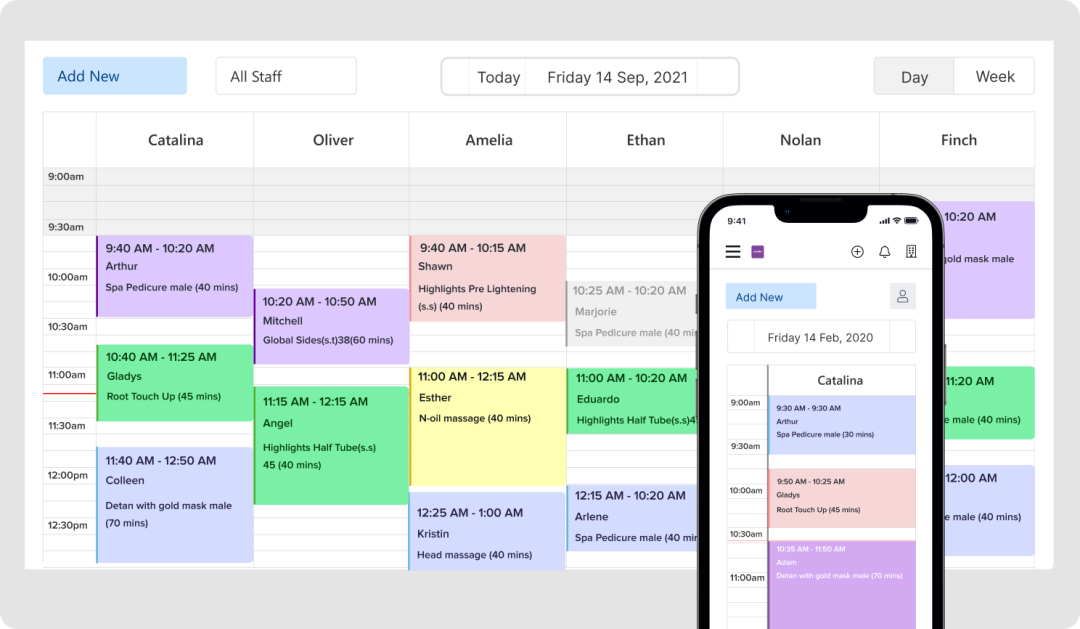
Every missed appointment costs your salon money — not just the lost service revenue, but the idle staff time, wasted product prep, and the ripple effect on your schedule. Industry data shows that salons lose between 15% and 30% of their appointments to no-shows, translating to annual revenue losses of $15,000 to $67,000 for a typical salon. Automated appointment reminders are the single most effective tool to close that gap — and when implemented correctly, they can reduce your no-show rate to 5% or less.
This guide walks salon owners and spa managers through everything you need to know about automated appointment reminders: how they work, what features matter most, how to set up a winning reminder cadence, and how the right booking software ties it all together to grow your business.
Why Automated Appointment Reminders Are Non-Negotiable in 2025
The beauty industry has changed dramatically. Clients are busier, more distracted, and booking further in advance than ever before. A client who books a haircut three weeks out may genuinely forget — not because they don't value your time, but because life gets in the way.
Manual reminder calls worked when salons had a handful of appointments per day. Today, with online booking driving higher appointment volumes, manually calling every client is simply not scalable. Automated reminders solve this at zero marginal cost per message.
Consider these numbers from recent industry research:
- SMS reminders have a 98% read rate — far outpacing email open rates
- Clients who book online are 49% less likely to miss their appointments compared to phone or walk-in bookings
- Salons using multi-channel automated reminders report no-show reductions of 70–80%
- Automated waitlist systems recover 60–70% of vacant slots from last-minute cancellations
The math is simple: if your salon does $300,000 in annual revenue and no-shows account for 20% of appointments, you're leaving $60,000 on the table. A robust reminder system can recover the majority of that — often paying for itself within the first month.
How Automated Appointment Reminders Work
Modern salon booking software sends reminders automatically based on rules you configure. When a client books an appointment — whether through your website, a booking link, or directly in your software — the system schedules a sequence of reminder messages without any manual effort from your team.
The Three-Touch Reminder Cadence
The most effective reminder strategy uses three touchpoints before each appointment:
- 48–72 hours before: An email or SMS with full appointment details — service, stylist, date, time, location, and any preparation instructions (e.g., "come with dry hair" or "avoid moisturizer before your facial"). This gives clients enough time to reschedule if needed.
- 24 hours before: A short SMS or WhatsApp message asking the client to confirm. Include a one-tap confirm/cancel link. This is your most important touchpoint — it surfaces last-minute conflicts while there's still time to fill the slot.
- 2 hours before (for high-risk appointments): A final nudge for clients who haven't confirmed, or for high-value services like color treatments or bridal packages where a no-show is especially costly.
This cadence balances thoroughness with respect for the client's inbox. You're not spamming them — you're providing genuinely useful reminders that make their life easier.
Confirmation and Cancellation Links
The best reminder systems include one-tap confirmation links. When a client taps "Confirm," your software marks the appointment as confirmed and stops sending reminders. When they tap "Cancel" or "Reschedule," the system can automatically open your waitlist and notify waiting clients — filling the slot before you even know it was vacated.
This automation loop is where modern salon software like GlowBook's booking platform delivers real competitive advantage: the entire process — reminder, confirmation, cancellation, waitlist notification — happens without any staff involvement.
Choosing the Right Channels: SMS, Email, and Beyond
Not all reminder channels are created equal. Here's how to think about each:
SMS Reminders
SMS is the gold standard for appointment reminders. With a 98% read rate and most messages read within 3 minutes of delivery, SMS ensures your reminder actually reaches the client. Use SMS for your 24-hour and same-day reminders where immediacy matters most.
Keep SMS messages short and action-oriented: "Hi [Name], your appointment with [Stylist] is tomorrow at 2pm. Reply YES to confirm or call us to reschedule: [phone]."
Email Reminders
Email is ideal for your 48–72 hour reminder because it allows more detail. You can include a full appointment summary, preparation instructions, your cancellation policy, directions, and even a link to add the appointment to their calendar. Email also creates a paper trail that clients can reference.
WhatsApp and Push Notifications
In markets where WhatsApp is widely used, it combines the read rates of SMS with the richness of email. Push notifications through a branded salon app are effective for clients who have downloaded your app — they're less intrusive than SMS but still highly visible.
The key is meeting clients where they are. The best salon software lets you configure which channels each client prefers, based on their communication history and explicit preferences.
Beyond Reminders: The Full Automation Stack
Automated reminders are the foundation, but the most successful salons build a complete automation stack around their booking software. Here's what that looks like:
Automated Waitlist Management
When a client cancels, your software should immediately notify the next person on the waitlist via SMS. The first client to respond gets the slot. This system can recover 60–70% of cancelled appointments — turning what would have been lost revenue into a filled chair.
Rebooking Reminders
After a client's appointment, send an automated follow-up 4–6 weeks later (or whatever interval matches their service cycle) with a direct booking link. "It's been 6 weeks since your last color — ready to book your next appointment?" This single automation can dramatically improve your rebooking rate and client lifetime value.
Review Request Automation
Send an automated review request 24 hours after each appointment. Clients are most likely to leave a positive review when the experience is fresh. More reviews mean better local SEO and more new clients finding your salon online.
Birthday and Anniversary Messages
Automated birthday messages with a special offer are one of the highest-converting marketing touchpoints in the beauty industry. They feel personal even though they're automated — and they drive bookings during what might otherwise be a slow period.
All of these automations are available through GlowBook's salon management platform, designed specifically for beauty businesses that want to grow without adding administrative overhead.
Setting Up Your Cancellation Policy to Work With Reminders
Automated reminders are most effective when paired with a clear, enforced cancellation policy. Here's why: reminders give clients ample opportunity to cancel in advance. If they still no-show after receiving three reminders, that's a policy issue, not a communication issue.
Deposits and Cards on File
Salons that require a deposit or keep a card on file see up to 65% fewer no-shows. When clients have skin in the game financially, they're far more likely to show up — or to cancel with enough notice for you to fill the slot.
Your booking software should make it easy to collect deposits at the time of booking and to charge no-show fees automatically when clients don't cancel within your policy window. This removes the awkward conversation from your staff and enforces the policy consistently.
Communicating Your Policy Clearly
Include your cancellation policy in every booking confirmation and reminder. Clients should never be surprised by a no-show fee. Transparency builds trust and reduces disputes.
Measuring the Impact of Your Reminder System
You can't improve what you don't measure. Track these key metrics to evaluate your reminder system's performance:
- No-show rate: The percentage of appointments where the client didn't show and didn't cancel. Target: under 5%.
- Cancellation rate: The percentage of appointments cancelled. Some cancellations are fine — they give you time to fill the slot. Track whether cancellations are happening with enough notice (24+ hours).
- Confirmation rate: The percentage of clients who confirm via your reminder link. High confirmation rates indicate your reminders are being received and acted on.
- Waitlist fill rate: The percentage of cancelled slots filled by waitlist clients. This measures how effectively your system recovers lost revenue.
- Revenue recovered: Estimate the revenue saved by your reminder system by comparing your no-show rate before and after implementation.
Most modern salon software provides these metrics in a dashboard. Review them monthly and adjust your reminder cadence or messaging if you see room for improvement.
Common Mistakes Salon Owners Make With Appointment Reminders
Even with the right software, some salons don't get the results they expect. Here are the most common pitfalls:
Sending Only One Reminder
A single reminder — even a well-timed one — is significantly less effective than a multi-touch sequence. Clients may miss one message but respond to a second. The three-touch cadence described above is the industry best practice for a reason.
Using Generic, Impersonal Messages
Reminders that feel like spam get ignored. Personalize every message with the client's name, their specific service, and their stylist's name. "Hi Sarah, your balayage with Emma is tomorrow at 3pm" is far more effective than "Reminder: you have an appointment tomorrow."
Neglecting Client Contact Data Quality
Reminders can only reach clients if you have accurate contact information. Make it a habit to verify phone numbers and email addresses at every visit. Your software should flag clients with missing or bounced contact details so you can update them proactively.
Not Following Up on Unconfirmed Appointments
If a client hasn't confirmed after your 24-hour reminder, don't just hope for the best. Have your software trigger a final reminder or flag the appointment for a quick personal call from your front desk. High-value appointments — color services, bridal packages, long treatments — deserve extra attention.
How GlowBook Makes Reminder Automation Easy
Setting up a professional reminder system used to require technical expertise and expensive software. GlowBook changes that. Our platform is built specifically for salon and spa owners who want enterprise-level automation without the enterprise-level complexity.
With GlowBook, you can:
- Configure multi-channel reminder sequences in minutes — no coding required
- Customize message templates with your salon's voice and branding
- Set different reminder rules for different service types and durations
- Automatically manage your waitlist and fill cancelled slots
- Track no-show rates, confirmation rates, and revenue recovered in real time
- Collect deposits and enforce cancellation policies automatically
The result: less time chasing clients, fewer empty chairs, and more revenue from the appointments you already have. See how it works on our features page, or check our pricing page to find the plan that fits your salon.
Getting Started: Your 30-Day Reminder System Launch Plan
Ready to implement automated reminders at your salon? Here's a simple 30-day plan:
Week 1: Audit and Set Up
- Calculate your current no-show rate (appointments missed ÷ total appointments)
- Audit your client contact database — identify missing or outdated phone numbers and emails
- Choose your booking software and configure your reminder sequences
- Write your reminder message templates — keep them friendly, personal, and action-oriented
Week 2: Launch and Train
- Activate your reminder system for all new bookings
- Train your front desk team on how to handle confirmation responses and cancellations
- Set up your waitlist and test the automated fill process
- Communicate your cancellation policy clearly to all clients
Weeks 3–4: Monitor and Optimize
- Track your no-show rate daily for the first two weeks
- Review confirmation rates — if they're low, test different message timing or wording
- Identify any clients who consistently no-show and consider requiring deposits for future bookings
- Calculate your revenue recovered and share the results with your team
By the end of 30 days, most salons see a measurable reduction in no-shows and a clear picture of the revenue impact. The system then runs on autopilot, freeing your team to focus on delivering exceptional client experiences.
The Bottom Line
Automated appointment reminders are one of the highest-ROI investments a salon owner can make. They reduce no-shows, recover lost revenue, improve client satisfaction, and free your staff from manual follow-up tasks — all simultaneously. In a competitive beauty market where every chair-hour counts, a professional reminder system isn't a luxury. It's a growth strategy.
If you're ready to stop losing revenue to no-shows and start building a more predictable, profitable salon business, sign up for GlowBook today and see the difference automated reminders can make in your first month.
Frequently Asked Questions
How much can automated appointment reminders reduce no-shows at my salon?
Salons using multi-channel automated reminder systems — combining SMS, email, and confirmation links — typically reduce no-show rates by 70–80%, bringing them from an industry average of 15–30% down to 5% or less. The exact reduction depends on your reminder cadence, the channels you use, and whether you pair reminders with a deposit or cancellation policy.
What is the best timing for salon appointment reminders?
The most effective cadence is a three-touch sequence: a detailed email or SMS 48–72 hours before the appointment, a confirmation request via SMS 24 hours before, and a final nudge 2 hours before for high-value or unconfirmed appointments. This gives clients enough time to reschedule while ensuring the reminder is fresh in their mind.
Should I use SMS or email for salon appointment reminders?
Both channels serve different purposes. SMS has a 98% read rate and is best for your 24-hour and same-day reminders where immediacy matters. Email is better for your 48–72 hour reminder because it allows more detail — full appointment info, preparation instructions, your cancellation policy, and a calendar link. The best salon software lets you use both channels in a coordinated sequence.
GlowBook Team
Beauty Business Experts
GlowBook helps salons, spas, and barbershops grow with all-in-one booking and management tools. Explore features or see pricing.